Overview
In a process model, events can be configured to navigate to other processes—either within the same model or to processes located in other models.
Pre-Requisites
-
You have an Author license in your Library.
Setting up navigation
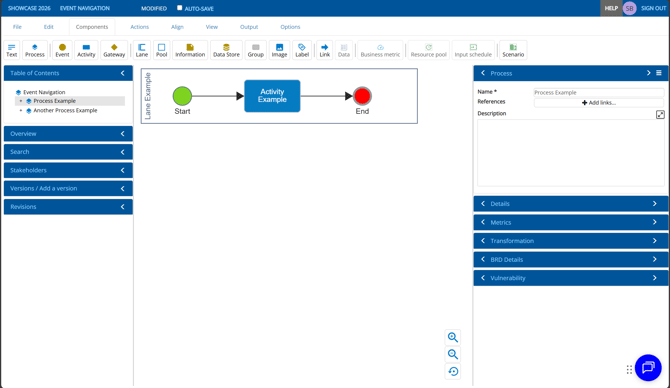
When you open a process model in Author, you will see an interface similar to the one shown below.
Configuring Navigation on a Start Event
- Select the Start event.
- In the Event tray on the right-hand side, click the Input dropdown.
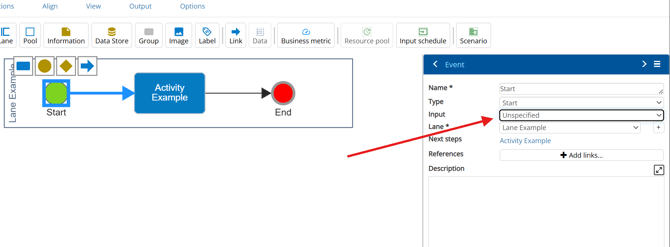
- Select Called by a specific process.
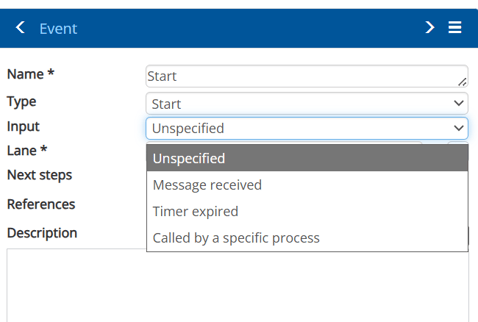
This will reveal two new fields
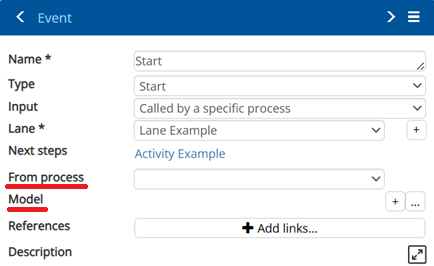
| Field | Description |
| From process | A reference to another local process which links this event. |
| Model | A link to the model which this event links. |
Configuring Navigation on an End Event
To allow navigation back out of a process:
- Select the End event.
- In the Event tray on the right-hand side, click the Output dropdown.
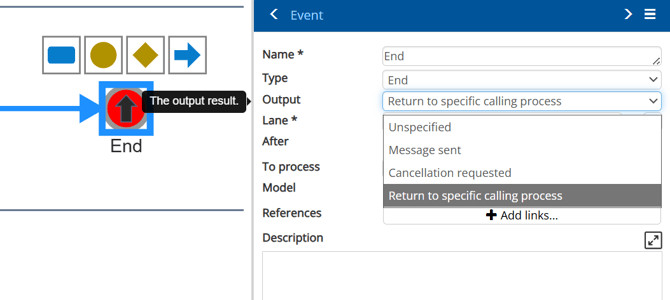
- Select Return to specific calling process
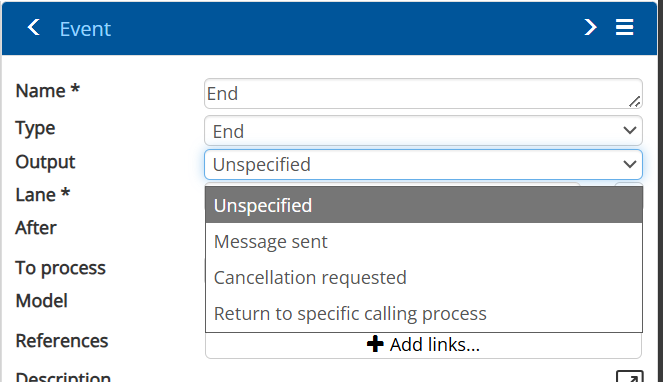
Just as with the Start event, this will reveal two new fields
| Field | Description |
| To process | A reference to another local process which links this event. |
| Model | A link to the model which this event links. |
Example
In the example below, a single process model contains:
- Two top-level processes
- One nested process inside another
Using the Table of Contents, we can visualise the structure.
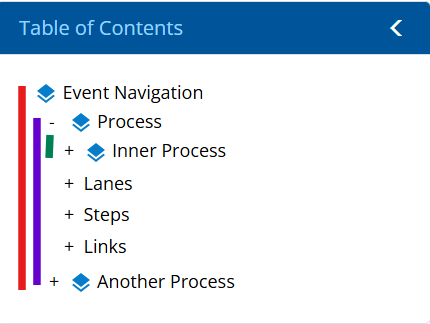
Setting up the event components as demonstrated ensures seamless navigation throughout the model, allowing users to move fluidly between each related process:
- Process → Inner Process


- Inner Process → Process

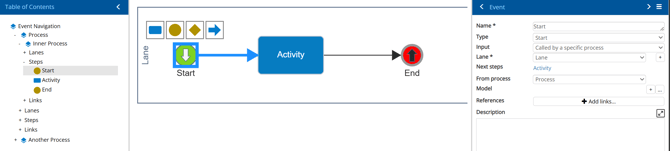
- Inner Process → Another Process

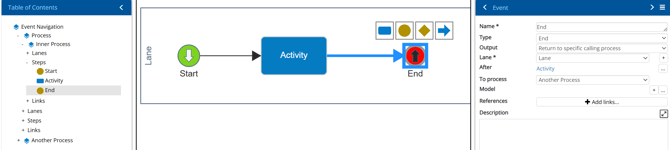
- Another Process → Inner Process

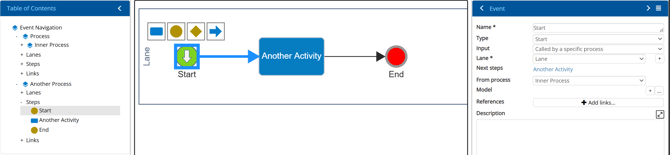
Video Example