
The Web Author in BusinessOptix provides users with the option to extract a particular process from a model into a new model of its own. This can even apply to a sub-process as well as the main process itself.
In the example below we will extract a process model.
Step 1:
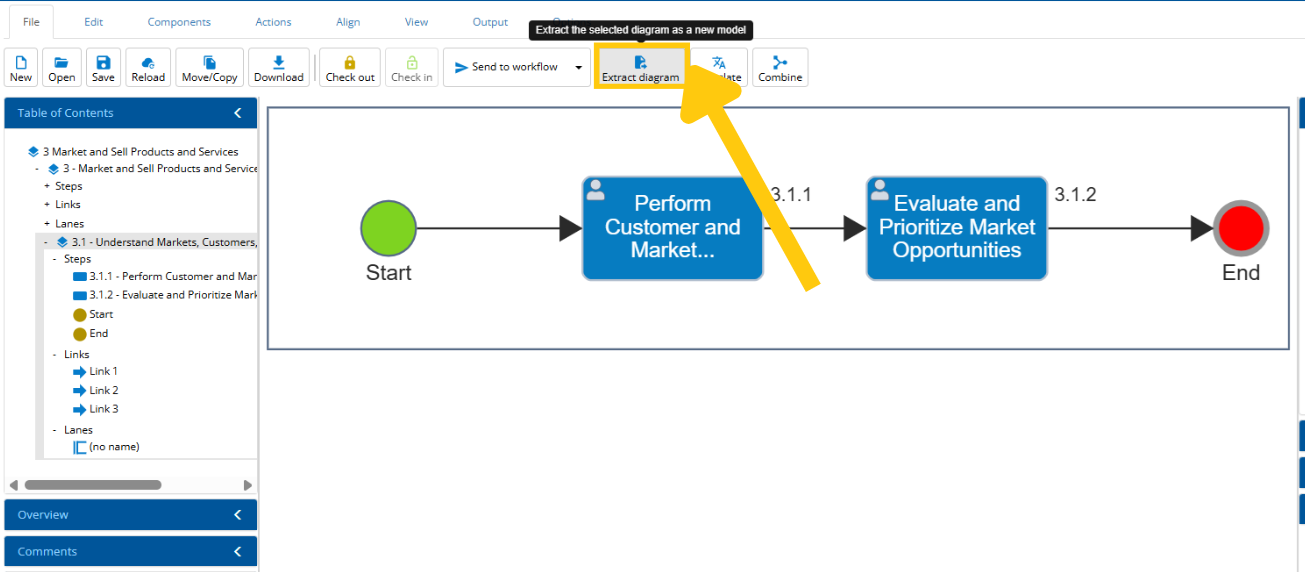
Open up the main overall model and click the 'Extract diagram' button under 'File'.
Step 2:
Once the 'Extract' button has been clicked, the process model broken out into a separate process model and no longer be available in the current model.
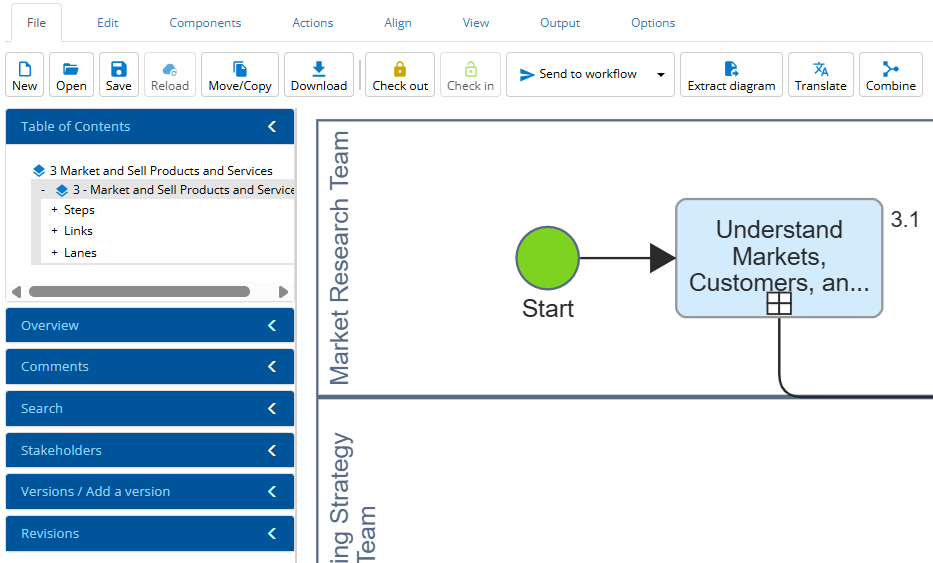
In the image above, you can see that there is now no sub-process since the model has been extracted.