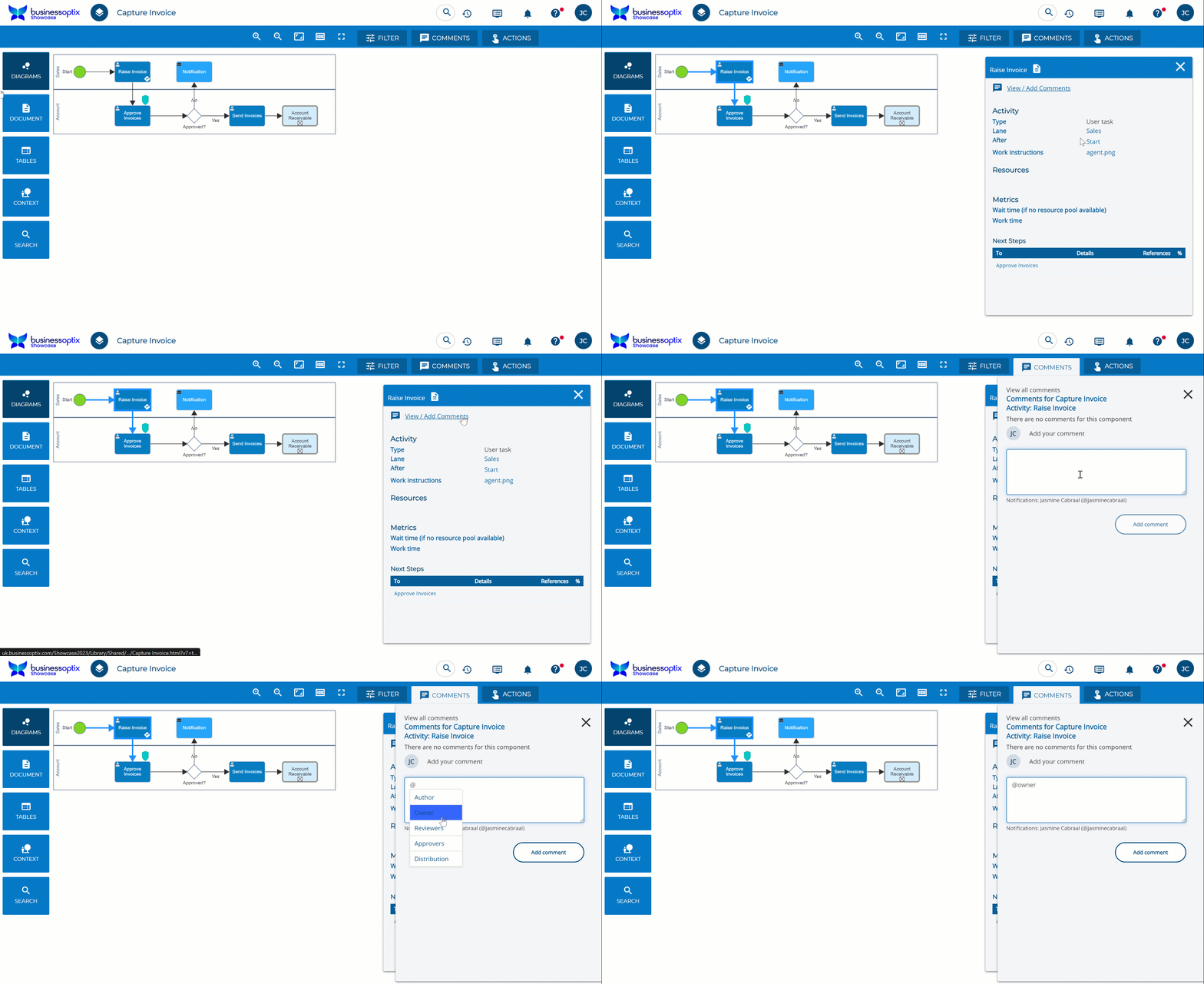
We've recently introduced a new enhancement that allows you to tag a user or multiple users when writing a comment.
When adding a comment to a model, type '@' and you will see a drop down list appear.
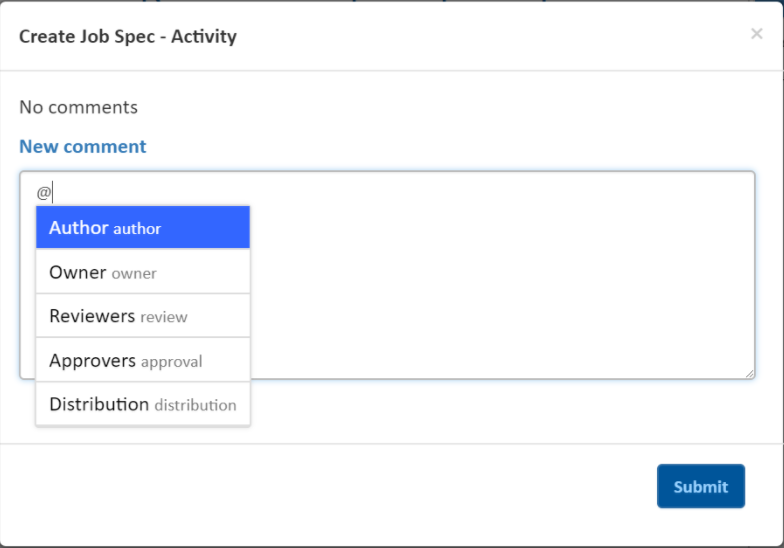
You are able to select any of the stakeholders for a model and they will get informed of the comment.
Alternatively, you can also tag a user of that library. To do this, simply start typing out the name of the user you would like to tag into the comment.

The users or stakeholders tagged into a comment will be notified via email of what this comment is and who made the comment, with a link to the model.