
A new charting engine for dashboards
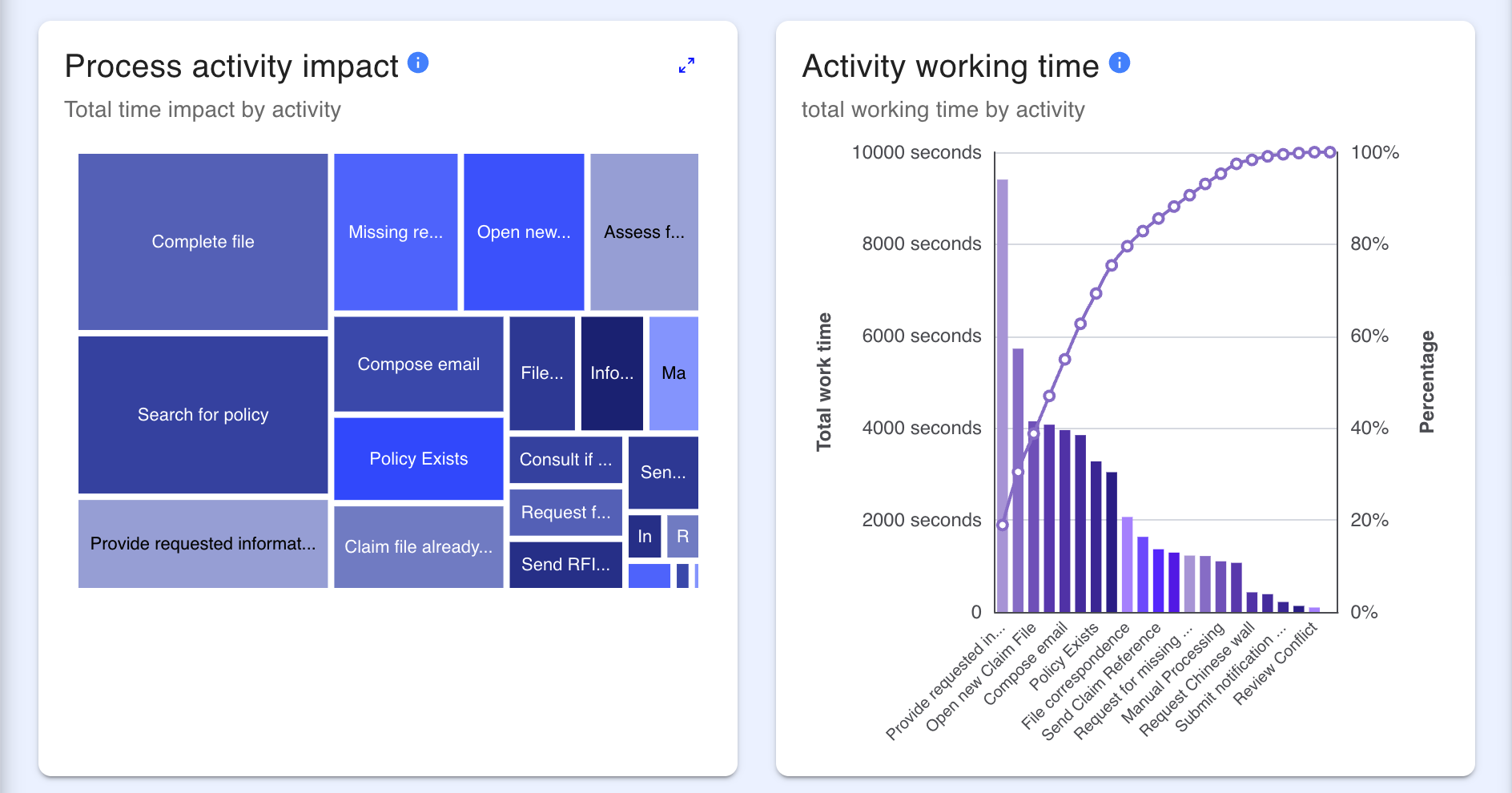
Dashboard charts now use a new charting engine, giving a more consistent appearance across chart types and more reliable interactions. Most existing charts will look and behave the same, with the improvements and fixes below applied automatically.
What's new and improved
More consistent charts. Charts across your dashboards now share a common look and behaviour, so visualisations are more predictable from one dashboard to the next.
Smoother loading. Dashboard widgets now show a loading placeholder while their data loads, so layouts settle cleanly instead of flashing blank or shifting as content arrives.
Chart quality and accuracy improvements
We've resolved a range of charting issues so your visualisations are accurate, readable, and consistent:
- Correct colours throughout. Stacked charts now show a distinct colour for each series, and configured category colours are applied as set (for example, red / orange / grey for High / Medium / Low).
- Natural ordering. Charts now sort labels in natural order, so categories appear as "1. January, 2. February … 10. October" rather than "1. January, 10. October, 11. November, 2. February …".
- Consistent drill-down. Treemap charts now toggle a filter off when you click a segment a second time, matching how other chart types behave.
- Clearer tooltips. Scatter and bubble chart tooltips now use your configured axis and series labels (and the point's identifier) instead of generic "x / y / size".
- Better readability. Treemap labels now adjust automatically for contrast so text stays legible on darker tiles, and bars are positioned so the axis line stays visible behind them.
- Restored and corrected behaviour. Box plot charts can be configured again, and combo charts respect the series order you set in Author.
Other dashboard improvements
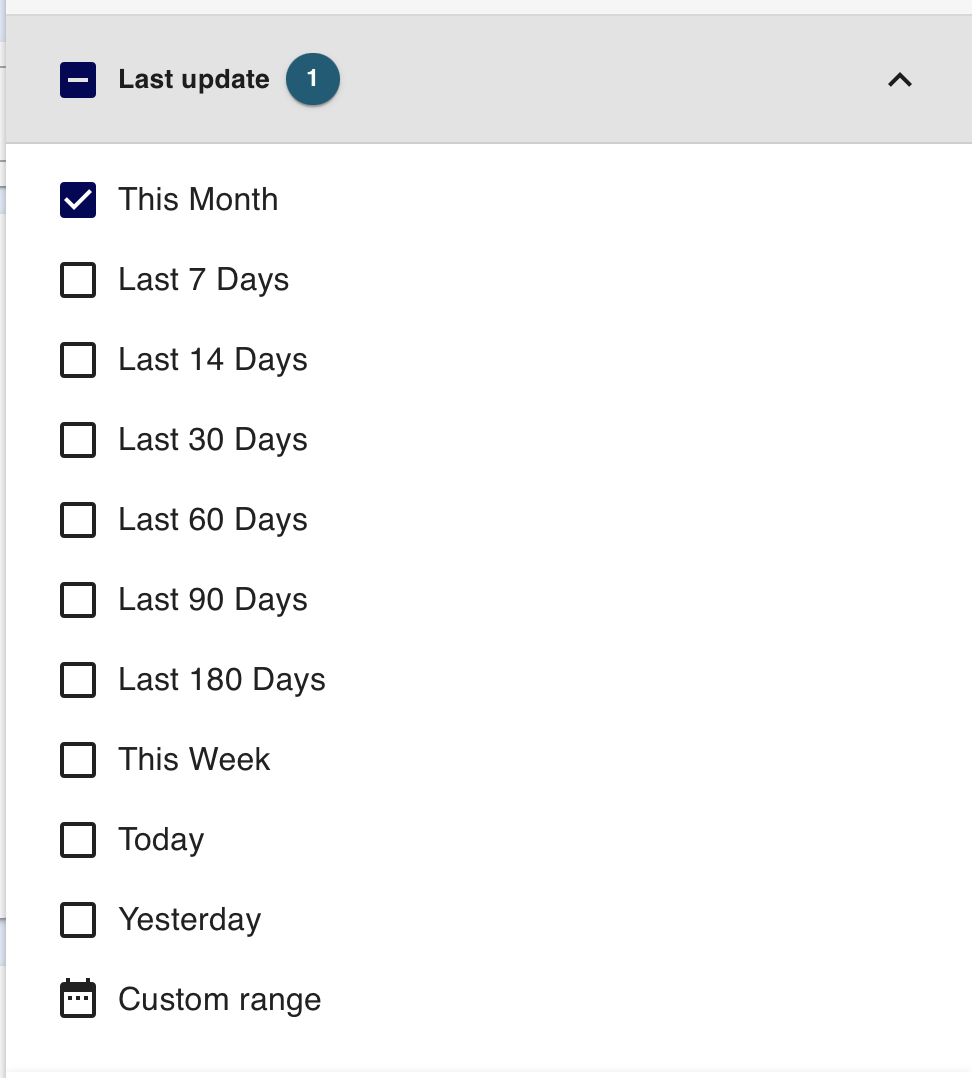
Pick a date range directly in dashboard filters. A new date-range selector lets you choose a range right in the dashboard, making it easier to focus on the period you care about. The date ranges the user will be able to select from can be configured in the dashboard.
Transparent dashboard panels. Dashboard panels can now be set to a transparent background, letting content sit cleanly against the page without an opaque panel or extra padding.
Rich text displays faithfully. Text styling applied in Author — including bullet-point lists — now displays correctly in dashboards instead of losing its formatting.
Tidier treeview breadcrumbs. Moving between treeview levels no longer builds up a cluttered breadcrumb trail; the breadcrumb now reflects your current selection cleanly.
Cleaner Excel exports. Exporting a dashboard table to Excel now removes rich-text formatting from all text columns, so exported cells show clean, readable values.
Model as a Sheet
Edited data stays put on refresh. Values you've entered and saved in a Model as a Sheet are now kept when the table refreshes, rather than being cleared.
Reliable component targeting. Opening a Model as a Sheet form for a specific component now loads that component's data, instead of opening empty or showing an unrelated component.
Forms
No more duplicate links. Link fields that allow multiple selections now show the files you've already chosen, so you can't accidentally add the same file twice.
Link out to external URLs. Form link fields now accept external web addresses, so you can link to resources outside the platform.
Search & navigation
Quick Search is ready to type in. Opening Quick Search — from the header or with Ctrl-K — now places your cursor in the search box automatically, so you can start typing straight away.
Performance & stability
Improved long-session stability. We've reduced memory build-up that could occur while moving between models, improving performance during longer sessions.
Process models
Better-fitting diagrams. Diagrams shown as outputs now open at a sensible zoom level, so small process maps fill the space instead of appearing tiny.
Library Updates
Some of these changes require a library update. Please contact Customer Support to request this.